
eSIM Settings for iOS
Manual Setup
If you can’t use the QR code, no problem — just follow these steps to enter the details manually.
-
Important Information
- Your eSIM can only be set up after the payment is complete.
- After you complete the payment for the eSIM, please wait on this screen while the eSIM is being configured. This process usually takes up to 10 minutes, but in some cases, it may take longer due to network congestion.
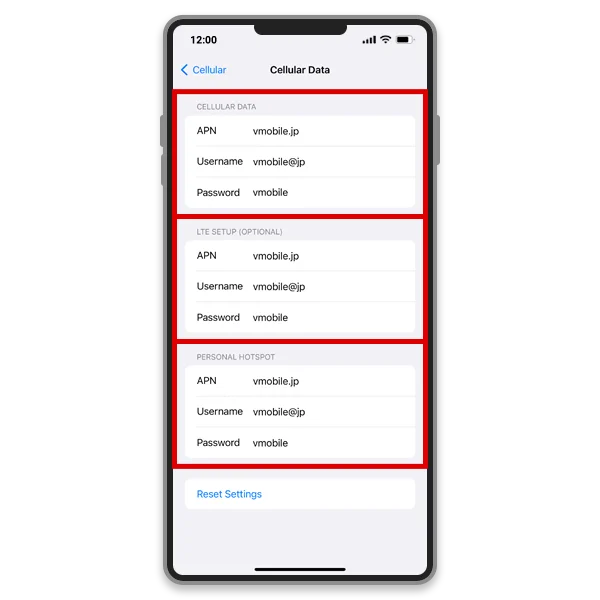
Even if the APN is not configured in the Cellular Data and LTE Setup (Optional) fields, your device can still connect to the Internet. You only need to manually enter an APN if you plan to use tethering (sharing your mobile data with other devices).
Use these APN settings if required:
APN: vmobile.jp
Username: vmobile@jp
Password: vmobile